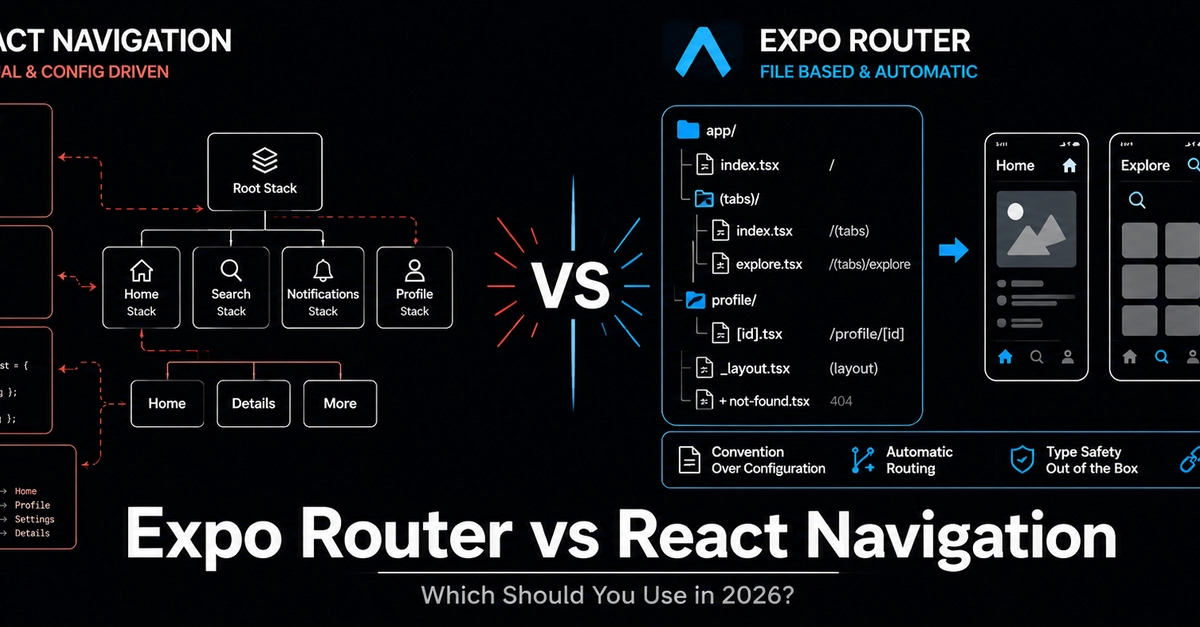
If you've spent any time building React Native apps, you've already bumped into the question. You're setting up a new project, you need to move users between screens, and suddenly you're 40 minutes deep in a documentation rabbit hole wondering whether to go with the familiar React Navigation setup or take the leap to Expo Router. This article is going to break it all down, no hype, no fanboy energy, just an honest look at both options so you can make the call that actually fits your project.
First, What Does "Routing" Even Mean in a Mobile App?
On the web, routing is pretty intuitive. You type a URL, the browser goes to a page. Simple. In mobile apps, there's no URL bar, no browser history button, nothing like that. But users still need to move between screens, go back to where they came from, open modals, tab between sections, and all of that has to feel smooth and natural.
So in mobile development, routing is basically the system you use to manage how screens stack on top of each other, how state is preserved when you go back, how deep links work, and how the app knows which screen to show based on where the user is in the flow. Think of it like this: routing is "moving between screens while keeping your app's memory intact." When someone logs in, fills out a form, gets distracted and opens a modal, then comes back, the app should remember all of that. Routing is the machinery underneath that makes it happen.