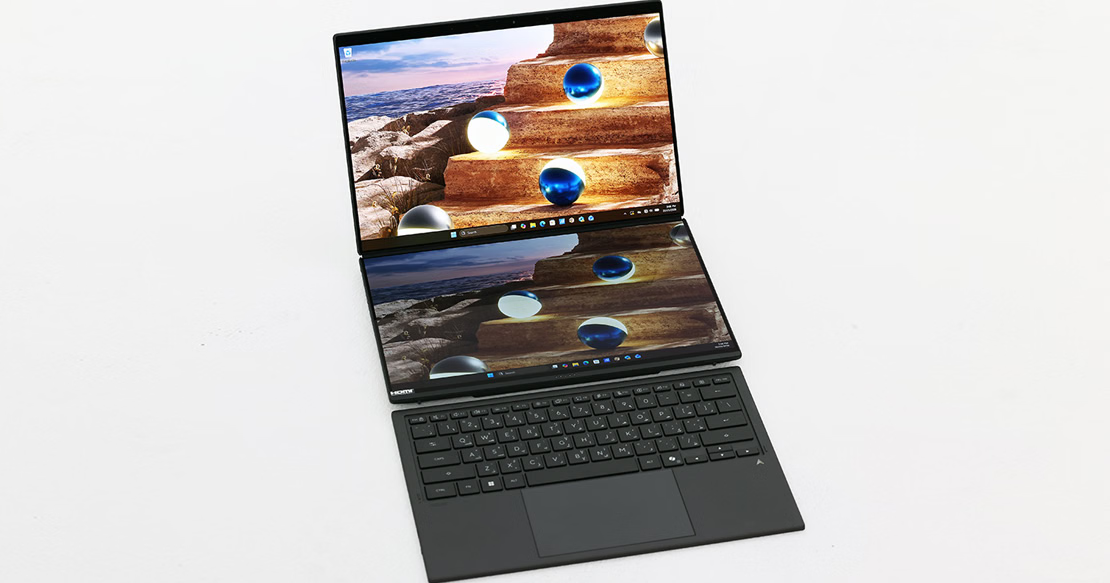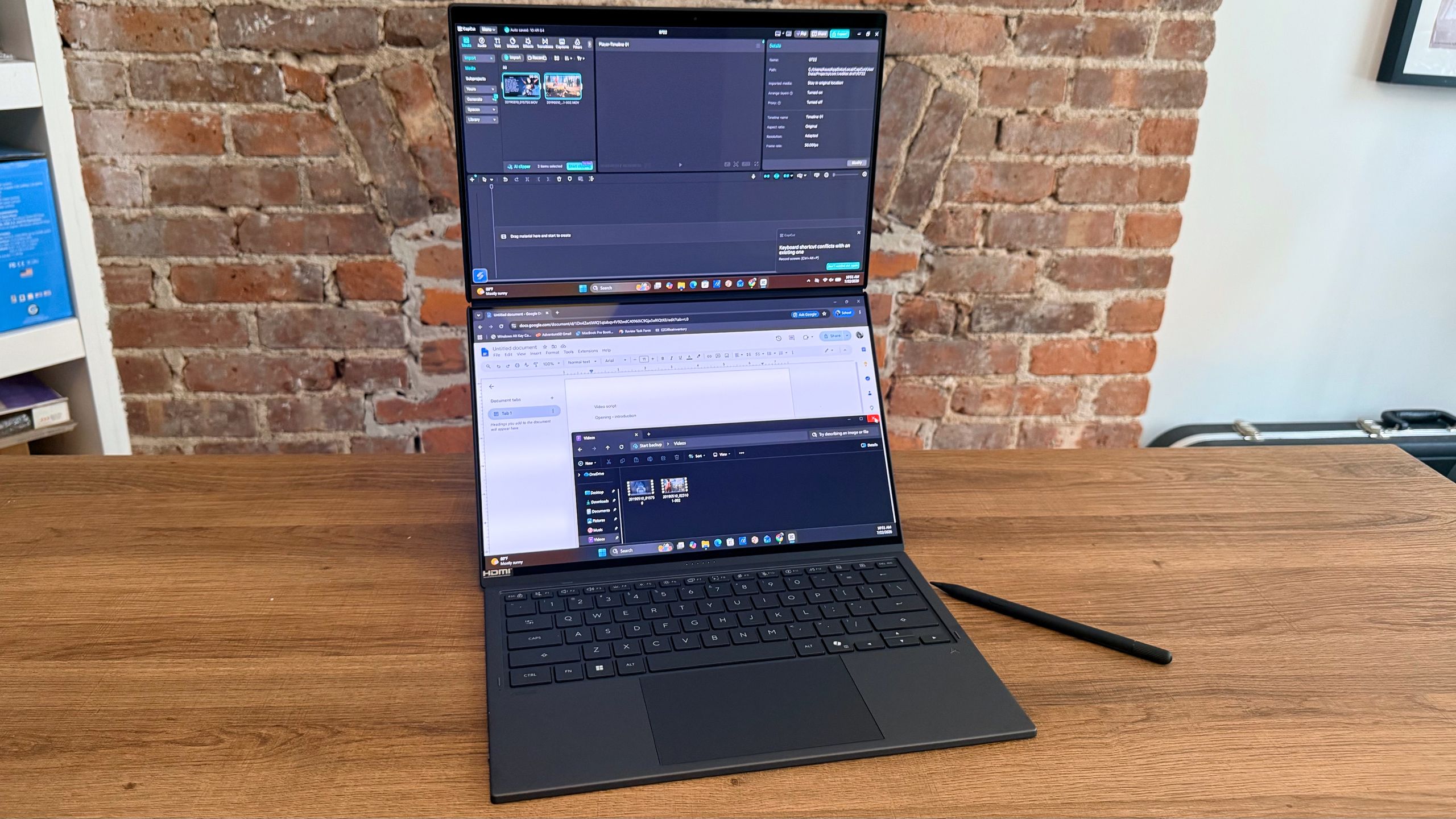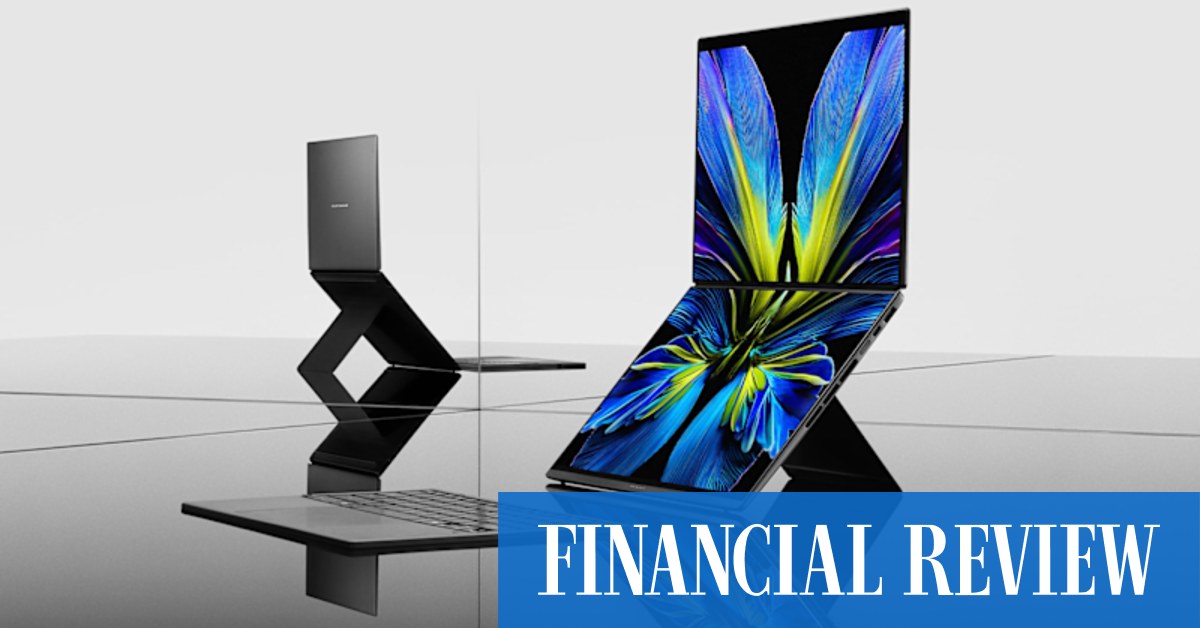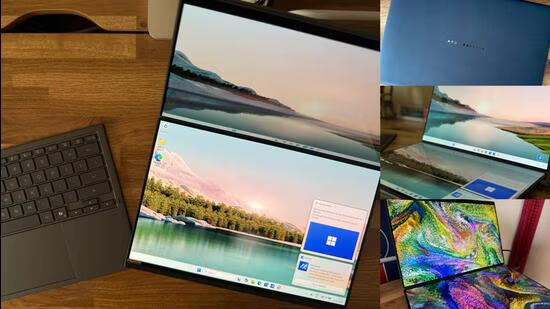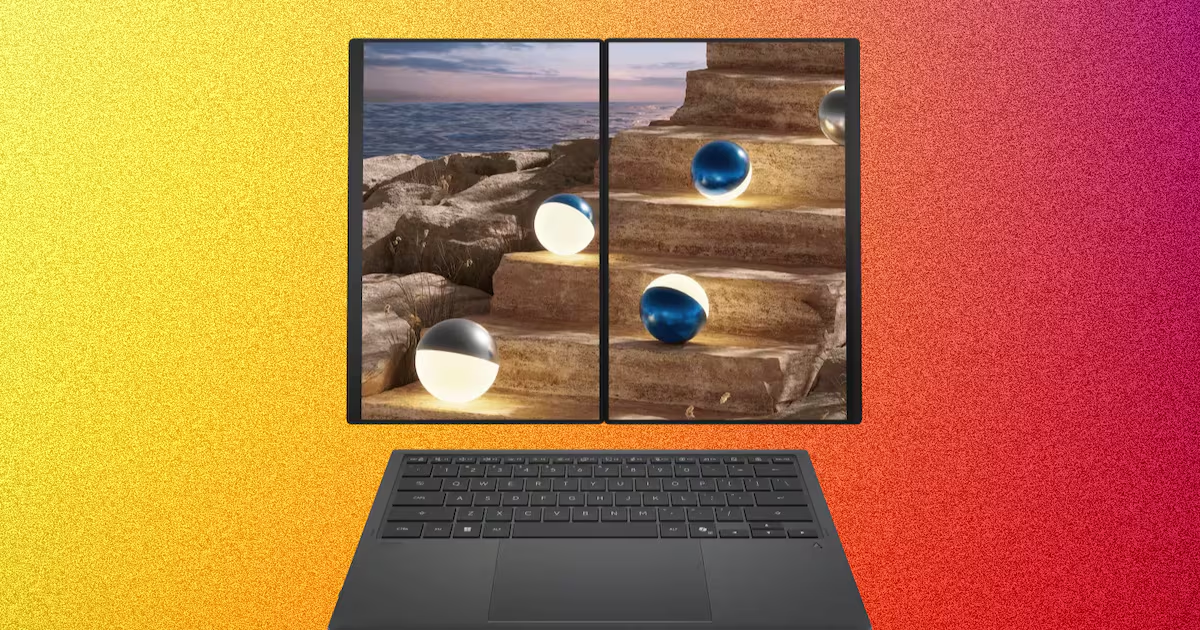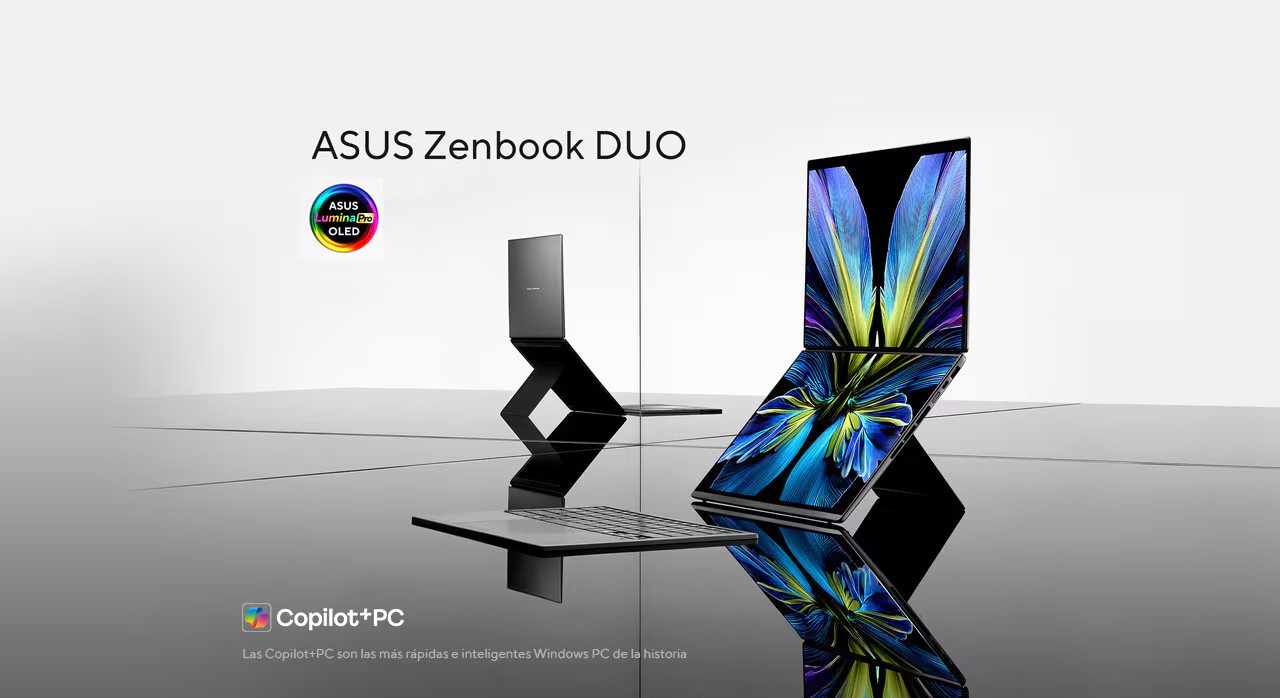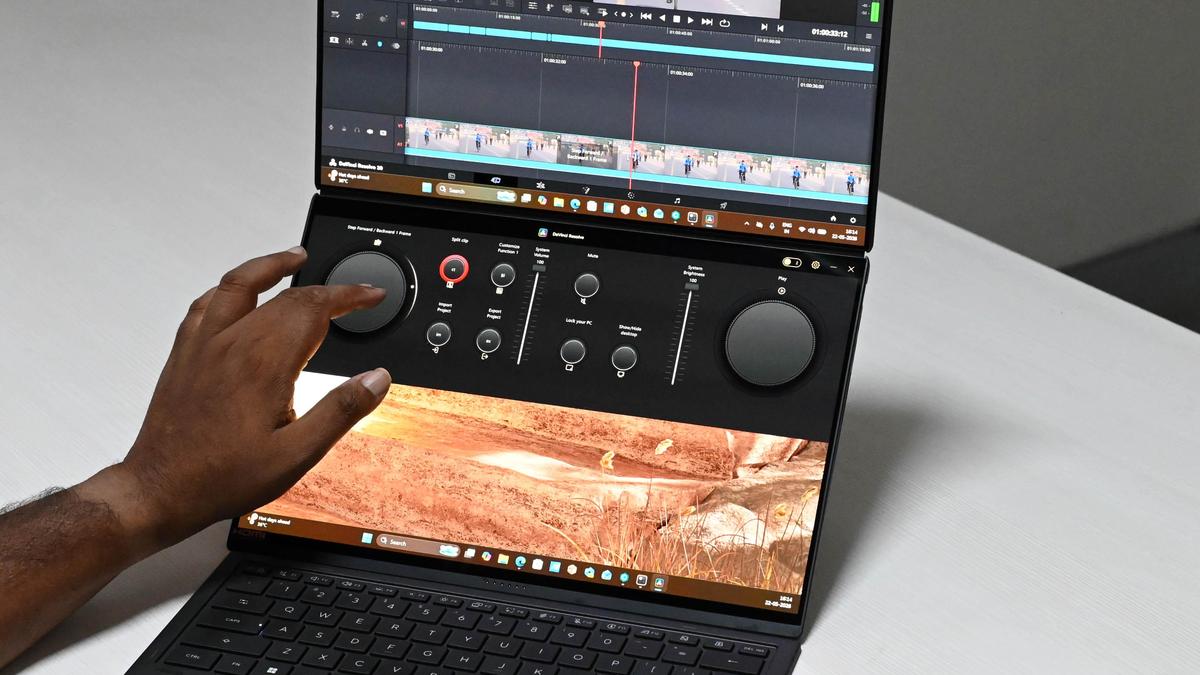
Asus has quietly been sharpening its ZenBook line-up over the last few years, and this year one standout grabbed my attention: the ZenBook Duo in its 2026 avatar. A dual-screen laptop with a built-in kickstand promises a fresh take on productivity in its latest avatar. I spent time with it — here’s how it holds up.Design The ZenBook Duo showcases a thoughtfully engineered dual-screen design, complemented by a flexible hinge and a neatly integrated detachable keyboard, all packaged in a sleek form factor. It comes with a protective sleeve that adds convenience while ensuring the device remains free from scratches during transport.Constructed from ASUS’s Ceraluminum material, the chassis delivers a smooth matte finish alongside impressive durability. This combination not only enhances the laptop’s premium feel but also provides a sturdy, comfortable grip — striking a balance between elegance and rugged reliability. Despite its robust build, the device remains user-friendly in hand.Weighing 1.65 kg, the ZenBook Duo feels well-balanced, with its weight evenly distributed across the dual-screen body and detachable keyboard, contributing to a cohesive and stable overall experience. The unit reviewed in Mocha Grey colourway further elevates its appeal, with the Ceraluminum finish effectively minimising visible smudges and scratches, maintaining a clean and refined look over extended use.DisplayThe ZenBook Duo’s dual 14-inch 3K OLED displays are the highlight of the experience. Each panel delivers a sharp 2880 × 1800 resolution in a 16:10 aspect ratio, making it equally suited for productivity and entertainment. With a 144Hz refresh rate and an ultra-fast 0.2ms response time, visuals remain fluid and responsive. Brightness is equally impressive at 500 nits (typical) and up to 1000 nits in HDR, enhanced by VESA DisplayHDR True Black 1000 certification for deep contrast and vibrant highlights. Colour reproduction is exceptional, backed by 100 per cent DCI-P3 coverage and Pantone validation. Both displays are touch-enabled with stylus support, and the 93 per cent screen-to-body ratio ensures an immersive viewing experience within a compact footprint.The secondary display, concealed beneath the detachable keyboard, is just as capable. It shines in utility-driven tasks — offering intuitive controls such as Asus Dial for volume adjustments or timeline scrubbing in apps such as DaVinci Resolve. The kickstand is sturdy and reliable, easily supporting the device’s weight even during intensive typing sessions in laptop or stand modes.Media consumption is a strong suit, with OLED panels delivering rich contrast and deep blacks that make movies especially enjoyable. The dual-screen setup also proven its worth in multitasking scenarios — whether it’s tracking stocks on one screen while working on another, editing video with a dedicated reference monitor, or drafting content alongside background media. For creative professionals, flexibility is valuable: video editors can split timelines and previews, while designers can use the lower screen as a drawing surface with the upper display serving as a live canvas. The included Zen Pen 2.0 stylus is both precise and responsive, performing seamlessly across creative workflows. It works particularly well in applications like Photoshop and DaVinci Resolve, doubling as both a fine brush tool and an accurate editing instrument. Handwriting recognition is reliable and adds to its practicality. This pen is charged via a USB-C wireless dock, I wonder why they dropped the in-built USB-C port for charging.While the device can double as a large-format e-book, its weight makes prolonged handheld use less comfortable. Its most effective form factor remains in traditional laptop mode, or the cascading dual-screen setup, where its design with functional form truly shines.SoundAudio on the ZenBook Duo can best be described as solid and well-rounded. It features dual downward-firing speakers complemented by a soundbar integrated into the hinge between the two displays. When testing tracks like Anirudh’s Raga of Revenge, the output delivered a pleasing balance of bass and treble. Vocals carried a clear sense of depth and reverb, while percussion came through with a satisfying presence — resulting in an overall rich and enjoyable listening experience.Keyboard and Ports The ZenBook Duo comes with a detachable Bluetooth keyboard featuring an inbuilt battery, connecting seamlessly via Bluetooth or pogo pins when docked over the second screen. It offers a backlit chiclet layout with 1.7mm of key travel, delivering a comfortable and responsive typing experience. Keystrokes register accurately with no noticeable lag, while the backlight proves especially useful during late-night work sessions. The precision touchpad, despite its plastic construction, performs reliably offering smooth navigation and consistent click response. Charging is flexible via USB-C or pogo pins, and a dedicated on/off switch adds convenience when carrying the keyboard separately.In terms of connectivity, the ZenBook Duo offers a well-balanced and practical port selection. On the left, it houses an HDMI 2.1 port, a Thunderbolt 4 port for charging and high-speed connectivity, and a 3.5mm audio jack — ideal for external displays and audio setups. The right side includes a USB 3.2 Gen 2 Type-A port for legacy peripherals, a second Thunderbolt 4 port, and the power button. Altogether, the port layout strikes an effective balance between versatility and everyday usability.Performance The ZenBook Duo is powered by the Intel Core Ultra 7 355 processor, featuring 8 cores and 8 threads, with a base clock of 2.3 GHz and boost speeds up to 4.7 GHz. It is paired with an integrated Intel NPU rated at up to 49 TOPS, alongside 32GB of LPDDR5X RAM and a fast 1TB M.2 NVMe PCIe 4.0 SSD — delivering a capable setup for modern workflows.In synthetic benchmarks such as Cinebench R26, the laptop scores 457 in single-core and 2,346 in multi-core performance, placing it just behind processors such as the Core Ultra 7 255H and Ryzen 5800X. While it isn’t positioned as a high-end performance chip, it holds up well in everyday productivity tasks and handles creative applications such as Adobe Premiere Pro and DaVinci Resolve with consistency for day-to-day use.Gaming isn’t its primary focus, but the system is capable of light gaming workloads. Titles like Counterstrike 2 can run at around 120 FPS, and games like Minecraft perform comfortably. Thermal management is competent, with side vents effectively dissipating heat. The Ceraluminum chassis helps keep temperatures in check, though a slight warmth can be felt against surfaces under load. Overall, it offers a balanced price-to-performance ratio for a productivity-first device.Battery The ZenBook Duo is equipped with a 99Wh, 4-cell Li-ion battery that delivers reliable all-day performance for typical usage. In real-world scenarios, it comfortably lasts around 9–11 hours when handling tasks like writing, browsing, streaming YouTube, and managing social media. Under heavier workloads such as gaming or video editing, battery life lasts roughly between 2.5 to 4 hours, which is expected given the dual-screen setup and performance demands.The device ships with a 100W USB-C fast charger, capable of fully charging the laptop in approximately 2 hours. ASUS also includes an instant charging feature, allowing for a quick top-up in under an hour when you’re short on time.VerdictIn its 2026 avatar, the ZenBook Duo stands out as one of the most innovative dual-screen laptops in recent years. It excels in design, thoughtful screen integration, and delivers impressive display quality backed by solid performance. Priced at ₹3,06,990, its uniqueness is undeniable after being refined over the years. However, its appeal leans more toward niche users—particularly creative professionals, some of whom may still prefer dedicated tools like drawing tablets. Even so, as a laptop, it remains a highly capable, well-rounded machine that performs reliably across a wide range of tasks.Asus ZenBook Duo reviewPrice: ₹3,06,990. Pros: Great display, decent sound and good enough performanceCons: Very premium, limited use cases. Published on May 27, 2026
Asus ZenBook Duo review: A dual-screen laptop that dares to do more
Discover the Asus ZenBook Duo, a dual-screen laptop blending innovative design, exceptional displays, and solid performance for creative professionals.
1,253 words~6 min read