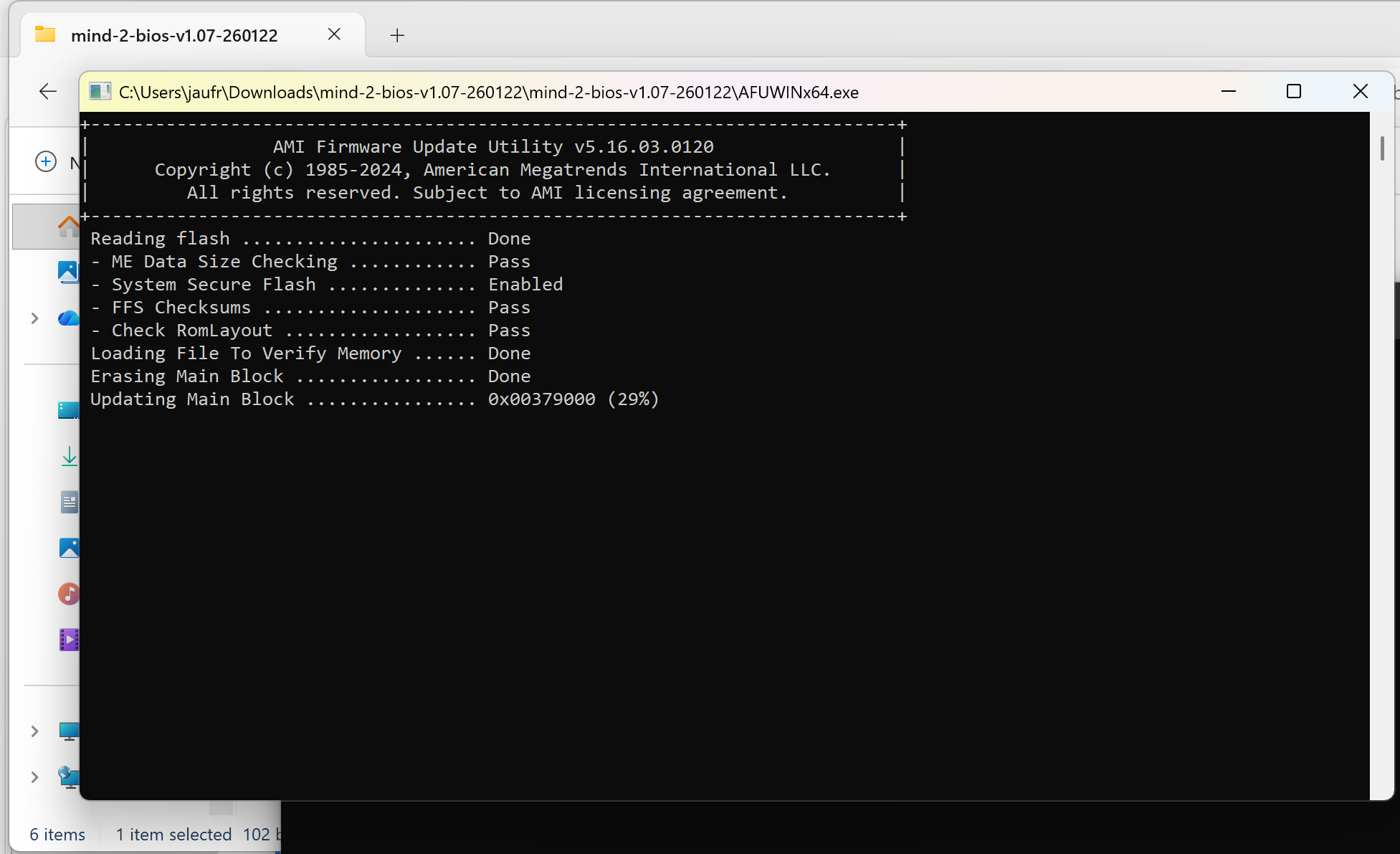
I don’t always update the BIOS of my system, but when I do, I always make sure to waste several hours doing so. Last time I did that was in 2020, but this happened again when I updated the BIOS for the Khadas Mind 2 to test it with the Mind xPlay display and Mind Graphics 2 dock.Khadas provides the BIOS with instructions to update the Mind 2 mini PC, and it’s supposed to take five minutes, but I ended up wasting two about hours… The first step is to download and extract a zip file (mind-2-bios-v1.07-260122.zip), then start the Flash_BIOS upgrade program, and finally wait for the upgrade to complete.That part went great. No problem, but when the system rebooted, I was greeted by a BitLocker window asking me to enter a recovery key to carry on with the boot process.There’s no way to avoid this, and that’s a bit annoying, but I understand this is done for security reasons, since the BIOS was changed and BitLocker (device encryption) is enabled, Windows 11 wants to make sure it’s not from a bad actor. So I went to aka.ms/myrecoverykey on another machine, where I could find the 48-digit recovery key from the MIND mini PC.As a side note, I think I understand why the Windows setup wizard sometimes forces users to log in with a Microsoft account and other times, it does not. If you don’t have a Microsoft account and BitLocker is enabled, you need an account to recover access, unless you’ve manually saved the keys on a USB flash drive. Without recovery keys, you’ll need to wipe out the drive when reinstalling Windows and lose your data.Nevertheless, I had my recovery key, so I tried to type it in on the BitLocker window. The only problem is that it shows only for 5 seconds before rebooting in a loop… Not quite enough time to type 48 digits from a random key and click on Continue… So I had to find a workaround: selecting Skip this drive->Troubleshoot->Advanced options-> Command prompt.It was still locked, but I could select Unlock and enter the recovery keys without the system rebooting every 5 seconds as I typed.I got access to the Command Prompt, and I temporarily suspended BitLocker with the following command:
My experience upgrading the BIOS of a Windows 11 mini PC (with BitLocker) in 2026 - CNX Software
It can be a pain to upgrade the BIOS on a Windows 11 machine with BitLocker (Device encryption) enabled. Here's my experience...
649 words~3 min read