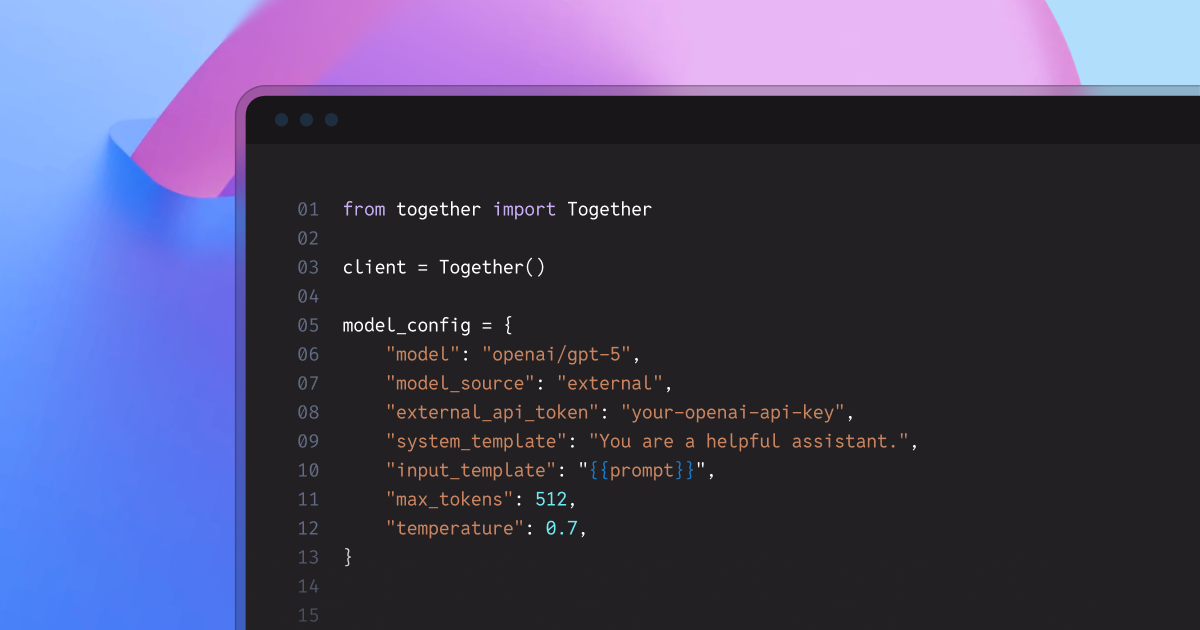
SummaryTogether Evaluations now supports OpenAI, Anthropic, and Google models for comprehensive benchmarking. Compare any models side-by-side—open-source, fine-tuned, or proprietary—to make data-driven decisions on quality, cost, and performance.Together Evaluations: Assessing model qualityModern LLM development is defined by a complex tradeoff between quality, cost, and performance across an expanding ecosystem of open-source, proprietary, and fine-tuned models. Together Evaluations provides a unified framework that enables teams to compare models—open-source, fine-tuned, or proprietary—and make model selection decisions based on empirical quality data.Together Evaluations offers a structured, repeatable framework for LLM quality assessment that allows teams to:Compare models side-by-side: Evaluate open-source, fine-tuned, and proprietary models using the same methodology and metrics.Make data-driven architecture decisions: Determine whether prompt optimization or fine-tuning delivers the best return for a specific task.Track quality improvements over time: Monitor model quality progress with reproducible, automated evaluations.What’s NewToday, we’re excited to announce support for closed-source frontier models—including those from OpenAI, Anthropic, and Google—as both the judge and target model for rigorous cross-model benchmarking.We’ve added support for these requested capabilities:1. Support for proprietary model providersThe Evaluations API now supports models from leading proprietary providers, including:Users can also specify any OpenAI Chat Completions–compatible URL to evaluate self-hosted external models.OpenAIopenai/gpt-5openai/gpt-5.2Anthropicanthropic/claude-sonnet-4-5anthropic/claude-haiku-4-5anthropic/claude-opus-4-5Googlegoogle/gemini-2.5-progoogle/gemini-2.5-flash2. Ability to evaluate Together fine-tuned modelsUsers can now evaluate models fine-tuned with the Together AI Fine-Tuning service directly within the Evaluations API, using one of two deployment options:LoRA serverless InferenceDedicated Endpoints for Inference3. New recipes on how to optimize and evaluate open-source modelsDeep dive and Cookbook where we show how to use our platform to fine-tune open model judges that outperform GPT-5.2. In this notebook we demonstrate how to fine-tune open-source LLM judges (GPT-OSS 120B, Qwen3 235B) using DPO on RewardBench 2 preference data to exceed GPT-5.2's performance as an evaluator, achieving 62.63% accuracy versus GPT-5.2's 61.62%. It provides an end-to-end workflow using Together AI's Evaluation and Fine-tuning APIs, showing how open models can beat closed-source judges at 10x lower cost and 15x higher speed.We demonstrate in this notebook how to use our evaluation services with the popular GEPA framework to automatically optimize prompts without manual prompt engineering. Using the CNN/DailyMail dataset, GEPA iteratively refines a baseline summarization prompt through LLM-guided reflection and head-to-head evaluations. This process improves the prompt’s win rate from 50% to 62.12%, demonstrating how automated prompt optimization can deliver substantial quality gains.Step-by-step guideUpload your data in the JSONL or the CSV formatPick the evaluation type among classify, score, or compareDescribe what you want to evaluate by giving the judge a system_template in a Jinja2 formatYou can specify a reference answer from the dataset using the following Jinja template: “Please use the reference answer: {{reference_answer_column_name}}”Configure the model to be evaluated:For external models: Set ‘model_source’=’external’ and provide your API keyFor fine-tuning models: Copy the model ID from your LoRA serverless deployment or Dedicated Inference endpoint.Define your input_template to reference the column in the dataset that contains the prompt. Example: “Answer the following: {{prompt_column}}”Retrieve the results! We provide both aggregated evaluation metrics and a resulting file with full feedback of judge responses.You can use the UI, the API, or the Python client to submit evaluation requests. The full documentation is available here.To highlight these new capabilities, we’ve prepared a hands-on notebook and an in-depth deep dive that demonstrate how to select the best model and optimization strategy for your specific task. The walkthrough covers multiple approaches, including:Prompt optimizationFine-tuningEvaluations against proprietary modelsYou can find the materials here:Deep dive demonstrating fine-tuning open judge modelsNotebook showing how to fine-tune open judge modelsNotebook with prompt optimizationReady to run your own LLM benchmarks?📄 Read the documentation🖥 Try the Evaluations UI📓 Read the tutorial notebooks💬 Questions? Join our Discord
Together Evaluations now supports comparing top commercial APIs vs. open source models
Together Evaluations now supports OpenAI, Anthropic, and Google models for cross-provider benchmarking. Compare open-source, fine-tuned, and proprietary models side-by-side to make data-driven decisions on quality, cost, and performance—all in one platform.
599 words~3 min read