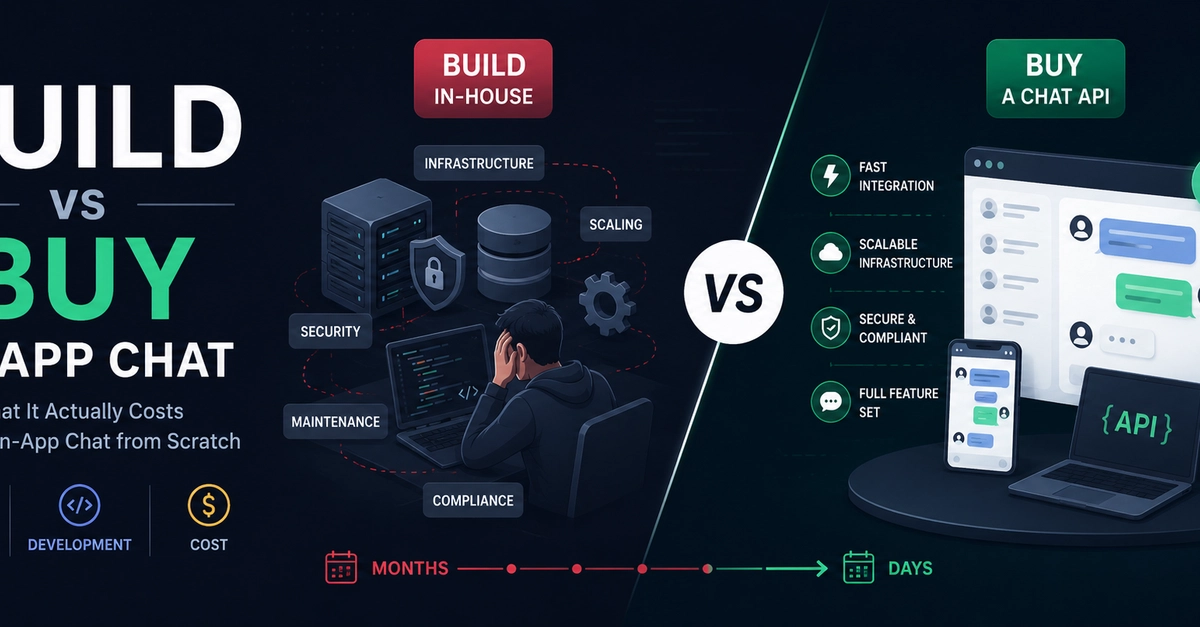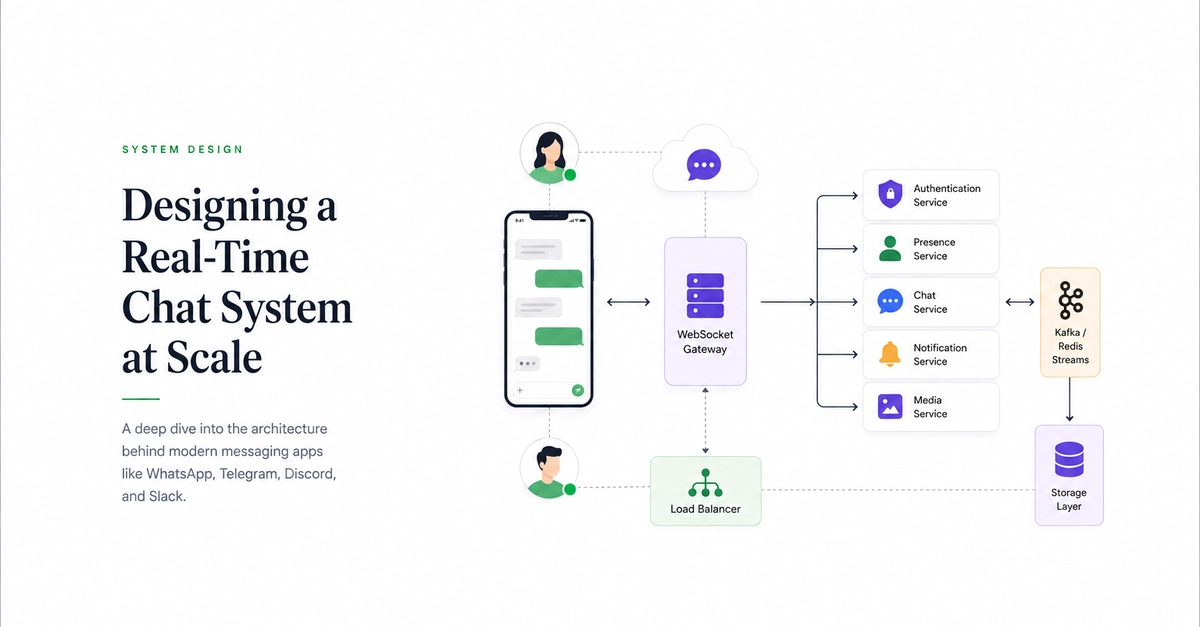
Messaging is one of the most widely used digital behaviours today. Recent global reports estimate that over 5 billion people now use the internet, with messaging apps ranking among the most frequently used digital services worldwide.As communication increasingly moves into apps, businesses are integrating chat features directly into their platforms to support collaboration, customer service, and community engagement. For product teams, this shift creates a clear opportunity, but also a technical challenge. Real-time messaging systems require infrastructure capable of handling instant message delivery, user presence, and large volumes of concurrent connections.Mobile app builders are helping simplify this process. Platforms like FlutterFlow allow developers to design chat interfaces visually, connect backend services, and launch messaging features without managing complex infrastructure from scratch.In this guide, we’ll walk through the architecture, features, and development workflow needed to build your own real-time chat app using a modern mobile app builder.Why Use a Mobile App Builder for Real-Time Chat?A mobile app builder simplifies the process of creating complex applications by providing visual tools that replace large portions of traditional coding. Instead of writing backend services manually, developers configure workflows, databases, and integrations through intuitive interfaces.This approach provides several advantages when learning how to build your own real-time chat app:faster development cyclesreduced infrastructure complexityeasier collaboration between designers and developerssimplified maintenance and updatesCore Requirements and Planning ChecklistBefore starting development, it’s important to define the requirements for your chat application. Common planning considerations include:user authentication and profilesone-to-one or group messagingmessage storage and retrievalnotification systemsreal-time message deliveryReal-time messaging platforms rely on technologies (such as WebSockets and publish-subscribe messaging systems) that allow data to be transmitted instantly between users. Understanding these components helps ensure your application architecture supports real-time communication efficiently.Choosing the Right Mobile App Builder PlatformNot all mobile app builders provide the capabilities required to build messaging platforms.When selecting a platform to build your own real-time chat app, consider features such as:backend database integrationsauthentication and user managementAPI connectivity for messaging servicesscalable deployment optionscustomizable UI componentsFlutterFlow supports many of these capabilities, allowing developers to design application interfaces visually while connecting backend services and APIs. Additionally, developers can extend application functionality using custom code actions, which allow advanced features to be integrated when needed.Step-by-Step Guide: Build Your Own Real-Time Chat AppDeveloping a chat application with a mobile app builder typically follows several stages.Create your project workspaceBegin by creating a new project workspace and defining the structure of your application. This includes user accounts, message data models, and interface layouts. FlutterFlow allows developers to start projects quickly and organize app components within a visual development environment.Configure user authentication & rolesAuthentication ensures that users can securely access the messaging platform.Most chat apps require:user registrationlogin authenticationprofile managementThese systems are typically integrated through backend services that manage identity and access.Add real-time backend (WebSockets or PaaS plugin)Real-time messaging requires a communication channel that allows messages to be delivered instantly.Technologies such as WebSockets enable continuous connections between users and servers, allowing messages to appear instantly within chat interfaces. Some platforms provide integrations with real-time communication services that simplify this setup.Design the chat UI with drag-and-drop componentsThe user interface is a critical component of messaging platforms. Chat interfaces usually include:message threadstyping indicatorschat input fieldsmessage timestampsEnable push notifications & presence indicatorsPush notifications notify users when new messages arrive. Presence indicators (such as online or typing status) enhance user engagement and improve the overall chat experience. These features rely on backend workflows that monitor user activity and trigger notifications.Test on devices and emulatorsBefore launching the app, testing ensures that messaging flows work correctly across devices.Developers should test:message delivery timingnetwork connectivity scenariospush notification behaviorUI responsivenessTesting helps identify performance issues before the application reaches users.Advanced Features to Elevate the Chat ExperienceOnce the basic messaging system works, advanced features can significantly improve the chat experience.Examples include:group chats and channelsfile and media sharingmessage reactions and emojismessage search functionalityread receipts and delivery indicatorsThese features increase engagement and allow the platform to support more sophisticated communication workflows.Performance, Scaling, and Security Best PracticesAs messaging applications grow, performance and security become critical considerations. To maintain reliability, developers should focus on:efficient message storage and retrievalload balancing and scalable infrastructureencryption for data protectionmonitoring system performanceReal-time messaging systems must handle high volumes of concurrent users while maintaining low latency.Platforms that support modular architectures allow developers to scale features and infrastructure as user demand increases. FlutterFlow supports reusable libraries and modular design patterns that help teams scale applications efficiently.Cost, Time, and Maintenance: Builder vs Coding from ScratchBuilding messaging platforms from scratch requires significant engineering resources. Development teams must create backend services, real-time messaging infrastructure, and mobile application interfaces.Using a mobile app builder significantly reduces these costs by simplifying development workflows.Typical costs associated with messaging platforms include:infrastructure and server hostingreal-time communication servicesdevelopment and maintenanceanalytics and monitoring toolsVisual development platforms allow startups and businesses to launch applications faster while minimizing development overhead.Conclusion: Launch and Next StepsLearning how to build your own real-time chat app no longer requires large engineering teams or months of backend development. Modern mobile app builder platforms have transformed how applications are created by providing visual development tools and integrated infrastructure. Platforms like FlutterFlow allow developers to design chat interfaces, integrate backend services, and deploy applications from a single environment. If you’re planning to launch a messaging platform, exploring FlutterFlow is a great starting point for building and scaling your real-time chat application efficiently.FAQWhich builders support WebSockets out of the box?Some mobile app builders integrate real-time communication services or APIs that support WebSocket connections, allowing applications to deliver messages instantly.How secure is a no-code chat app compared to custom code?Security depends on proper authentication, encryption, and infrastructure configuration. Many platforms provide built-in security features that protect user data.Can I migrate to custom code later?Many platforms support extensibility through custom code integrations, allowing developers to expand functionality over time.How do I handle peak traffic events?Scalable backend infrastructure and load balancing techniques help maintain performance during high traffic periods.What are typical monthly costs for 10k users?Costs vary depending on infrastructure and messaging services used but typically include hosting, data storage, and real-time messaging service fees.
How to Build Your Own Real-time Chat App by Using a Mobile App Builder
Build your own real-time chat app in hours—no coding needed. Follow our mobile app builder walkthrough, secure and scale fast. Start building today.
1,002 words~5 min read