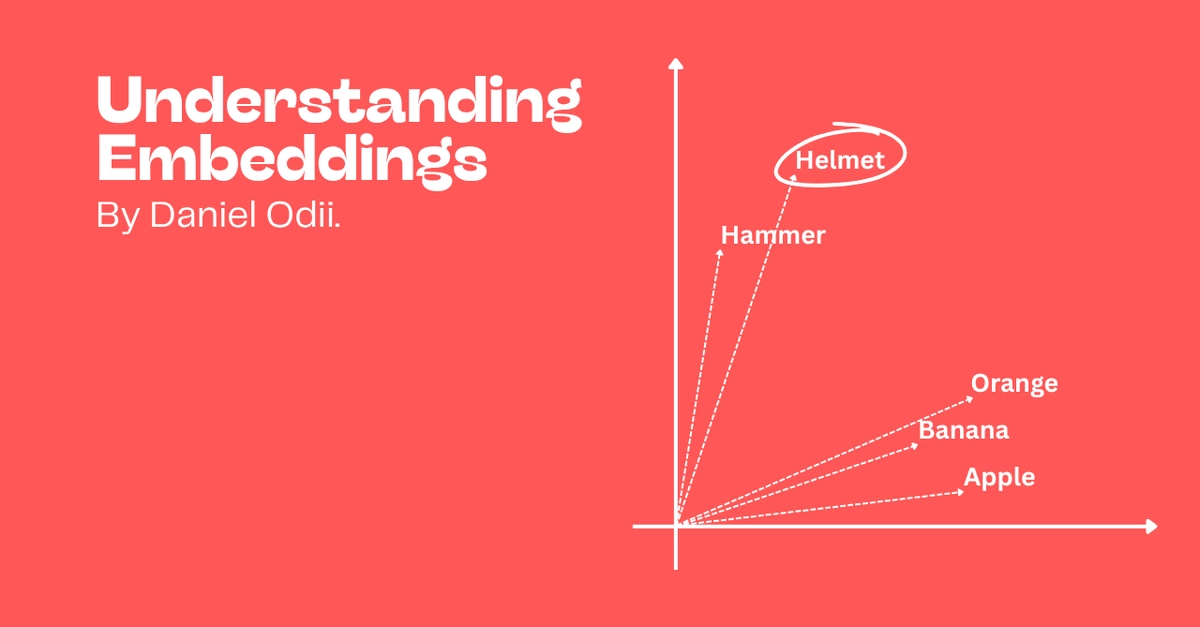
Embeddings are a powerful tool for working with text. By “embedding” text into vectors, you encode its meaning into a representation that can more easily be used for tasks like semantic search, clustering, and classification. If you’re new to embeddings, check out this awesome introduction by Simon Willison to get up to speed. These days, embeddings are being used for even more interesting applications like Retrieval Augmented Generation, which uses semantic search over embeddings to improve the quality of responses from language models.
In this guide, we’ll see how to use the BAAI/bge-large-en-v1.5 model on Replicate to generate text embeddings. The “BAAI General Embedding” (BGE) suite of models, released by the Beijing Academy of Artificial Intelligence (BAAI), are open source and available on the Hugging Face Hub.
As of October 2023, the large BGE model we’ll use here is the current state-of-the-art open source model for text embeddings. It is ranked higher than OpenAI embeddings on the MTEB leaderboard, and is 4x cheaper to run on Replicate for large-scale text embedding (more on this later!).
Prerequisites
You’ll need: